
.png)
Description
Download Docs GPT – AI‑powered writing assistant for Google Docs
Overview
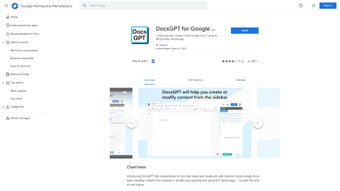
Docs GPT, developed by Applai, is a cutting‑edge AI tool that lives inside Google Docs and transforms the way you create, edit, and polish written content. Leveraging the latest GPT language models, Docs GPT can generate fresh paragraphs from a simple prompt, rewrite existing text in a tone that matches your brand, and catch spelling or grammar errors before they slip through. Its multilingual engine supports dozens of languages, making it a truly global assistant. Whether you are a student drafting a thesis, a marketer crafting a campaign brief, or a bilingual professional translating documents, Docs GPT offers a seamless, secure, and fully integrated experience that feels like a natural extension of Google Docs itself. The tool also allows you to run third‑party web content within the document, giving you the flexibility to pull in research, citations, or reference material without leaving the editor. In short, Docs GPT streamlines content creation, reduces repetitive editing tasks, and helps you maintain a consistent voice across all your writing projects.
Key Features of Docs GPT
- AI‑Generated Text: Prompt the assistant to write introductions, conclusions, or entire sections from scratch in seconds.
- Tone Adjustment: Switch between formal, conversational, persuasive, or technical tones with a single click.
- Proofreading & Grammar: Real‑time detection of spelling mistakes, punctuation errors, and style inconsistencies.
- Multilingual Support: Write and translate in over 30 languages, including English, Spanish, German, Mandarin, and Arabic.
- In‑Document Translation: Instantly translate selected passages while preserving formatting.
- Third‑Party Web Content Integration: Embed web snippets, research data, or reference URLs without leaving Google Docs.
- Custom Prompt Library: Save frequently used prompts for rapid reuse across projects.
- Secure Cloud Processing: All AI requests are encrypted, ensuring your confidential drafts stay private.
- Automatic Updates: The add‑on receives continuous improvements and new language models without manual installation.
Each feature is designed to minimize the cognitive load of writing, letting you focus on ideas rather than mechanics. Because Docs GPT works directly inside the Google Docs UI, there is no need to copy‑paste text into a separate app; the AI suggestions appear in a sidebar, and you can accept, reject, or edit them instantly. The result is a fluid workflow that feels native to the Google ecosystem while delivering the power of the latest GPT technology.
Installation & Usage Instructions
Step‑by‑Step Installation
- Open Google Docs and navigate to Extensions → Add‑ons → Get add‑ons.
- Search for “Docs GPT by Applai” in the marketplace.
- Click Install, then grant the required permissions for accessing your documents and connecting to the Applai AI service.
- After installation, a new sidebar labeled “Docs GPT” will appear under Extensions → Docs GPT.
First‑Time Setup
When you launch the sidebar for the first time, you’ll be prompted to sign in with your Google account. This creates a secure token that links your account to the Applai servers. The sign‑in process is encrypted with HTTPS, and no personal documents are stored on external servers—only the text you actively send for processing.
Using the AI Assistant
To generate new content, type a brief prompt in the “Create” field, such as “Write a 200‑word introduction about renewable energy.” Choose the desired language and tone, then click Generate. The AI will return a paragraph that you can insert directly into your document with a single click. For editing, highlight any passage, select “Rewrite” from the sidebar, pick a new tone, and let Docs GPT suggest alternatives. The proofreading tool works automatically as you type; underlined errors can be corrected with a quick accept/reject option.
The translation feature works similarly: select the text, choose “Translate,” pick the target language, and Docs GPT will replace the original with an accurate translation while preserving headings and bullet points. All these actions are logged locally, so you retain full control over version history.
Compatibility, Pros & Cons
Docs GPT is built as a Google Docs add‑on, which means it works on any platform that supports Google Docs—desktop browsers (Chrome, Firefox, Edge, Safari), Chrome OS, Android, and iOS devices. There is no separate Windows or Mac application to install; you simply need an active internet connection and a compatible browser.
Pros
- Fully integrated into Google Docs—no extra windows or apps.
- Free to download and use for unlimited documents.
- Advanced GPT model provides high‑quality, context‑aware output.
- Supports more than 30 languages with built‑in translation.
- Real‑time proofreading reduces manual editing time.
- Secure, encrypted communication protects sensitive content.
- Regular automatic updates keep the AI model current.
Cons
- Requires an active internet connection; offline use is not supported.
- Performance depends on Google Docs’ sidebar rendering speed.
- Advanced customization (e.g., custom tone presets) is limited in the free version.
- Large documents may experience slight latency when processing extensive text.
Docs GPT is a game‑changer for anyone who lives inside Google Docs. The AI’s ability to generate coherent, on‑brand content in seconds saves hours of drafting time. Its multilingual support is particularly impressive, and the seamless integration means you never have to leave your document. While the lack of offline mode is a minor drawback, the free pricing and regular updates make Docs GPT a must‑have tool for writers, marketers, and students alike.
Frequently Asked Questions
Is Docs GPT really free?
Yes, the full version of Docs GPT is available at no cost. There are optional premium features planned for future releases, but the current tool offers unlimited generation, editing, and translation without any subscription fees.
Can I use Docs GPT on mobile devices?
Absolutely. Since Docs GPT runs as a Google Docs add‑on, it works on any device that supports Google Docs, including Android and iOS tablets and smartphones. The sidebar adapts to smaller screens, allowing you to generate and edit text on the go.
How does Docs GPT protect my privacy?
All communications between the add‑on and Applai’s servers are encrypted with HTTPS. The AI only processes the specific text you submit, and no documents are stored permanently on external servers. You retain full ownership of your content.
What languages are supported for translation?
Docs GPT currently supports over 30 languages, including major languages such as English, Spanish, French, German, Chinese, Japanese, Korean, Arabic, Portuguese, and Russian. The list is expanding as the underlying GPT model receives updates.
Do I need a Google Workspace account?
No special account is required. Docs GPT works with any Google Docs account, whether it’s a personal Gmail address or a Google Workspace subscription.
Conclusion – Boost Your Writing Today
Docs GPT by Applai redefines what’s possible inside a cloud‑based word processor. By embedding powerful GPT‑driven generation, tone‑shifting, proofreading, and translation directly into Google Docs, the tool eliminates the back‑and‑forth between separate AI platforms and your document. The free, secure, and cross‑device nature of the add‑on makes it an ideal companion for students, professionals, and multilingual teams alike. Ready to experience faster drafts, cleaner prose, and effortless multilingual content? Download Docs GPT now and let the AI do the heavy lifting while you focus on creativity.
Guides & Tutorials for Docs GPT by Applai
How to install Docs GPT by Applai
- Click the Preview / Download button above.
- Once redirected, accept the terms and click Install.
- Wait for the Docs GPT by Applai download to finish on your device.
How to use Docs GPT by Applai
This software is primarily used for its core features described above. Open the app after installation to explore its capabilities.
User Reviews for Docs GPT by Applai 0
No reviews found




